If you have two or more dogs, you know the chaos of mealtime—bowl guarding, food stealing, and the constant worry that one pup is overeating while another skips meals. App-controlled multi-dog feeders solve this by letting you schedule, monitor, and adjust portions right from your phone. In this guide, we’ve evaluated five top models with smart features like dual cameras, slow-feed bowls, and large capacities to help you feed your pack peacefully. For a similar approach with cats, check out our best Multi-Cat feeders with app guide.


Buying Guide
App Features and Connectivity
A reliable app is the heart of any smart feeder. Look for dual-band WiFi (2.4GHz and 5GHz) for stable remote control, especially if your router is far from the feeder. The best apps allow you to schedule up to 15 meals per day, adjust portion sizes in real time, and manually dispense food when needed. Some models also offer feeding history logs, so you can track each dog’s intake. For more on app-enabled feeders, visit our Multi-Pet Feeders category.
Capacity and Portion Control for Multiple Dogs
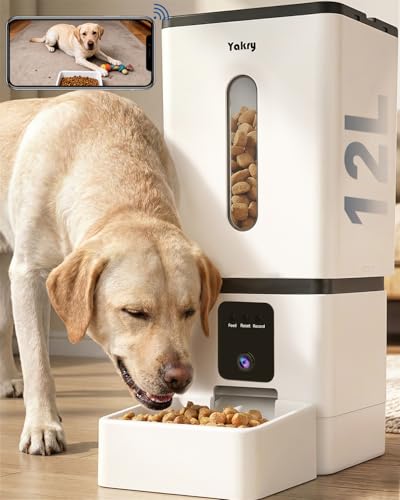
Multi-dog households need generous capacity to avoid constant refills. The feeders we reviewed range from 8L to 15L, holding enough kibble for several days or even weeks. Portion control is equally critical—look for models that dispense precise servings (often 10 to 15g each) so you can tailor meals to each dog’s size and diet. Some feeders offer dual bowls for simultaneous feeding, reducing competition.
Camera and Monitoring
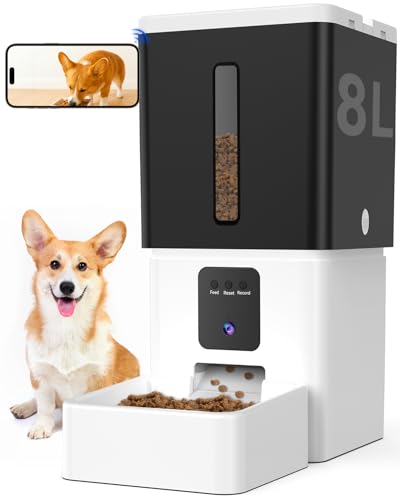
Being able to see your dogs at mealtime adds peace of mind. Many app-controlled feeders now include built-in 1080P HD cameras with night vision and two-way audio. You can check if food was dispensed, watch your dogs eat, and even talk to them remotely. This is especially useful for anxious pets or when you’re traveling. For more camera-equipped options, browse our Feeders with Camera collection.
Slow-Feed and Anti-Jam Design
Gulping can lead to vomiting and bloat, especially in large breeds. Some multi-dog feeders now include slow-feed bowls with raised barriers that slow down eating. Additionally, anti-jam mechanisms—like larger kibble paths and dual-motor rotors—prevent clogs with bigger kibble sizes. If you have dogs on different diets, you might also find our best Multi-Cat feeders for different diets guide useful for similar principles.
Final Thoughts
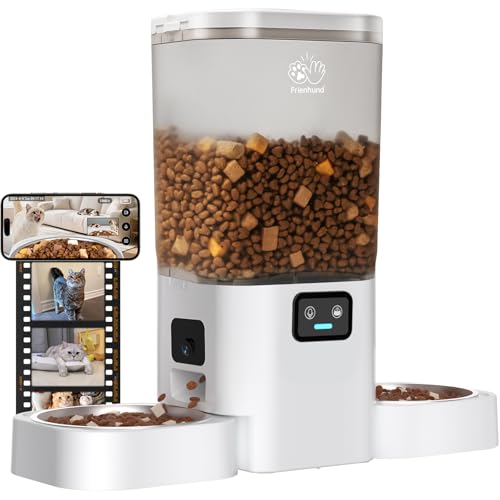
After reviewing these five app-controlled multi-dog feeders, our top picks cater to different needs. For households with two dogs that need separate bowls and dual-camera monitoring, the Frienhund Automatic Cat Feeder with Two 1080P stands out with its dual stainless steel bowls and two-way voice. If you have large breeds and want a huge capacity combined with a slow-feed bowl to promote healthier eating, the 15L Large Breed Automatic Dog Feeder offers a 63-cup hopper and anti-jam design. Whichever you choose, you’ll gain the freedom to manage your dogs’ meals from anywhere.
Related Guides
- Best Smart Dog Feeders with WiFi for 2026
- How to Prevent Automatic Feeder Jams
- How Does an Automatic Pet Feeder Work
Frequently Asked Questions
Can I use a multi-dog feeder with app for different diets?
Most app-controlled feeders allow you to set separate meal schedules and portion sizes per feeding, but they typically hold only one type of dry food at a time. If your dogs require different kibble, you may need two feeders or a model with dual food tanks. Some feeders with dual bowls can dispense the same food into separate bowls, but not two different foods from one hopper.
How do app-controlled feeders handle power outages?
Many models offer dual power supply—a wall adapter plus backup batteries (usually D-cell or AA). During an outage, the feeder continues to dispense food at the preset schedule, though app connectivity may be lost until power returns. Always install fresh batteries and verify the feeder’s backup mode works before relying on it.
Are these feeders easy to clean?
Yes, most modern multi-dog feeders have removable components like the hopper, dispensing rotor, and stainless steel bowl. Look for models with dishwasher-safe parts or those that disassemble without tools. Regular cleaning prevents kibble residue and bacterial buildup, keeping your pets healthy.
What is the best way to transition my dogs to an automatic feeder?
Start by placing the feeder in a familiar spot and letting your dogs explore it without food. Then run a few manual feedings so they associate the sound with mealtime. Gradually shift to the app schedule, keeping the same portion sizes as before. Monitor your dogs for the first few days to ensure they adjust comfortably. Most dogs adapt within a week.