

You are at work, and you can’t stop wondering if your dog is napping on the couch or rummaging through the trash. With a pet camera compatible with Android, you can pull out your phone and check in anytime. We’ve evaluated the top models on the market to help you find the perfect eye on your furry friend.
In this guide, we focus on best pet cameras you can control from your phone that also play nicely with Android devices. Whether you need a budget pan/tilt cam or a premium 2K model with AI detection, we’ve got you covered. Let’s dive in.




Buying Guide for Android-Compatible Pet Cameras
Choosing the right pet camera for your Android device involves evaluating several key features. Here are the criteria we considered when selecting our top picks.
Camera Resolution and Night Vision
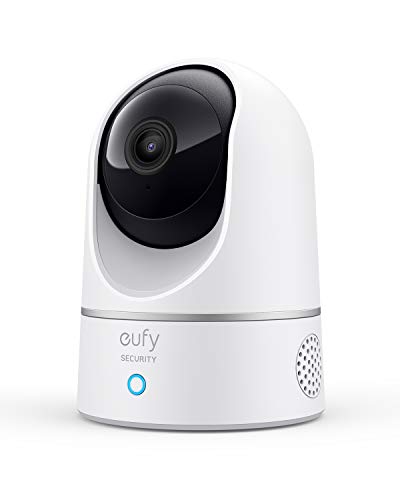
High resolution ensures you can see every detail, from that chewed shoe to a subtle change in your pet’s behavior. Look for at least 1080p Full HD, while 2K options like the eufy Security Indoor Cam deliver even sharper images. Night vision is equally important, so you can monitor your pet in low-light conditions without waking them.
Pan and Tilt Capabilities
A motorized pan and tilt base lets the camera follow your pet as it moves. The Tapo 1080p Pan/Tilt Security Camera and Kasa Indoor Camera both offer 360° horizontal coverage, which is ideal for open spaces. For a more advanced option, the eufy Cam tracks motion automatically, keeping your pet in frame at all times. For more tips on choosing the right camera, check out our guide on pet cameras with smartphone app.
Two-Way Audio and Smart Alerts
Two-way audio allows you to talk to your pet and hear their response, which is perfect for calming separation anxiety. Smart alerts for motion and sound keep you informed without constant viewing. The AOQEE 5G camera even distinguishes between people and pets, so you only get the notifications that matter.
Storage Options and Connectivity
Decide between local microSD storage and cloud plans. Many Android-compatible cameras support both, giving you flexibility. Ensure the camera works with your home Wi-Fi network, typically 2.4GHz. For a comprehensive overview of storage solutions, see our article on cat cameras with local storage.
Final Thoughts
Choosing the right pet camera for your Android device comes down to your specific needs. For budget-conscious pet owners who want reliable pan/tilt coverage, the Tapo 1080p Pan/Tilt Security Camera for Baby is a solid choice. If you prefer advanced AI and 2K clarity, the eufy Security Indoor Cam E220, Dog/Pet Camera will keep you connected with your furry friend. Both integrate seamlessly with the Android app, so you can check in from anywhere.
Related Guides
Frequently Asked Questions
Do pet cameras work with Android tablets?
Yes, most pet cameras have dedicated Android apps that run on both phones and tablets. The app provides a live view, recordings, and settings. In 2026, compatibility is broader than ever, so you can easily monitor your pet from any Android device. For more details, explore our best pet cameras with smartphone app recommendations.
Can I use a microSD card with these cameras?
Many models, including the Tapo and Kasa, support local microSD cards for continuous recording. Storage capacity varies up to 256GB. Using a card is a cost-effective way to avoid monthly fees, as long as you don’t mind manually managing the footage.
Do these cameras support Alexa or Google Assistant?
Several models integrate with smart assistants. The eufy IndoorCam works with Apple HomeKit, Google Assistant, and Alexa. The Blink Mini 2K+ is Alexa-compatible for voice commands. Check each product’s specifications for full details.
How do I set up pet motion alerts on my Android phone?
After installing the camera’s app and connecting the device, navigate to the notification settings to enable motion alerts. You can customize the sensitivity and schedule. For step-by-step guidance, see our guide on pet cameras you can control from your phone.


