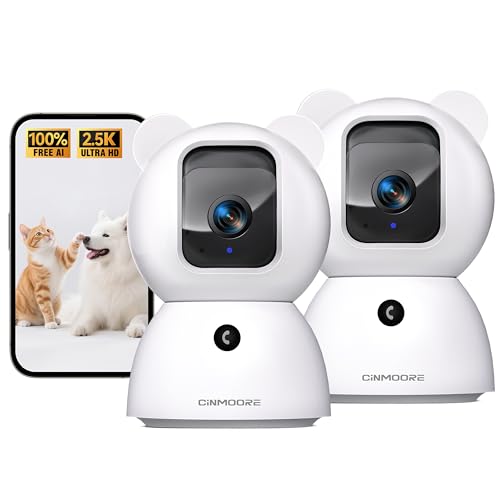
Your iPhone is already your constant companion, so why not extend that convenience to keeping an eye on your furry friends? Whether you are at work, running errands, or just relaxing in another room, a pet camera that syncs effortlessly with your iPhone lets you check in, talk to your pet, and even trigger treats or sounds. With so many options on the market, finding one that truly works well with iOS can be overwhelming. This guide highlights five of the best pet cameras compatible with iPhone, focusing on easy app setup, real-time alerts, and clear video. If you are new to remote pet monitoring, also check out our guide to pet cameras with smartphone apps for more background.

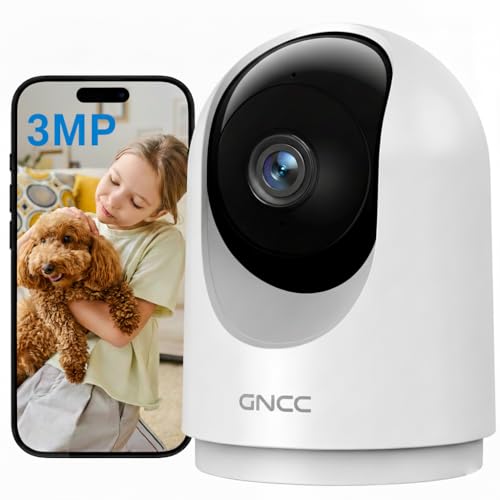


Buying Guide: What to Look for in an iPhone-Compatible Pet Camera
Choosing the right pet camera for your iPhone is more than just picking the highest resolution. You need a camera that pairs smoothly with iOS, offers features that match your daily routine, and fits your home network. Here are the key criteria we used when evaluating these models.
iOS App Compatibility and Setup
The first step is ensuring the camera has a dedicated app that works flawlessly on iPhone. All five picks here use apps available on the App Store, with straightforward pairing via Wi-Fi or Bluetooth. Look for apps that support push notifications, live streaming without lag, and easy sharing for family members. Some brands offer additional features like custom activity zones or voice control through Siri shortcuts. For a deeper dive into app-controlled cameras, see our roundup of phone-controlled pet cameras.
Video Quality and Night Vision
Clear video is essential for spotting your pet’s behavior, especially in dim light. Most cameras today offer 1080p or 2K resolution, which provides sharp details day and night. Infrared night vision ensures you can see your pet in complete darkness without disturbing their sleep. Any camera with a resolution below 1080p might leave you squinting at blurry images. The models above range from 1080p to 2.5K, so you can pick the level of clarity that suits your needs.
Pan, Tilt, and Motion Tracking
A fixed camera can only cover one angle, but pan-tilt models let you sweep the room remotely from your iPhone. Many cameras also feature motion tracking, so they automatically follow your pet as it moves. This is a game-changer for curious cats or active dogs. Look for at least 355° horizontal and 90° vertical rotation to minimize blind spots. The SensForge and GNCC models excel in this regard, offering near-360 coverage.
Storage Options: Local vs. Cloud
Decide how you want to store footage. Local storage via a microSD card (often included) gives you continuous recording without monthly fees. Cloud storage offers remote access but may require a subscription. If you prefer privacy and zero ongoing costs, choose a camera with built-in local storage and no required subscription. The SensForge 2.5K comes with a 64GB card, while others support cards up to 256GB. For more on local storage cameras, check our list of cat cameras with local storage.
Remember, a pet camera that works with your iPhone should also integrate with your home Wi-Fi. Most cameras require 2.4GHz Wi-Fi; some newer models support dual-band 2.4/5GHz for faster connections. If you have a multi-camera setup, like the 4-pack from GNCC, ensure your network can handle multiple streams without stuttering. For broader home security, you might also explore our full pet cameras category.
Final Thoughts
After evaluating these five pet cameras, our top recommendation for most iPhone users is the SensForge 2.5K Indoor Pan-Tilt Security Camera for its 2.5K resolution, included 64GB local storage, and intelligent AI detection that sends precise alerts to your iPhone. If you need to cover multiple rooms or have multiple pets, the GNCC 5G Cameras for Home Security Indoor (4-pack) offers excellent value with pan/tilt in each unit and seamless iPhone app control. Both choices deliver reliable performance, easy setup, and peace of mind no matter where you are.
Related Guides
Frequently Asked Questions
Can I use these pet cameras with my iPhone without a subscription?
Yes, most of these cameras support local recording via a microSD card, so you do not need a monthly subscription. The SensForge 2.5K and Kasa EC70 even include or support SD storage for continuous recording. Cloud options are available but completely optional. For a comprehensive guide on storage, refer to our article on local storage pet cameras.
Do these pet cameras support two-way audio on iPhone?
Absolutely. Every model on this list includes built-in microphone and speaker, allowing you to talk to your pet or even scare off intruders through the app. The microphone quality is clear enough for you to hear your dog bark or your cat meow. Simply tap the talk button on your iPhone to start a conversation.
How do I set up pan/tilt control on my iPhone?
After connecting the camera to your Wi-Fi via the app, you can use on-screen joystick controls to pan left/right and tilt up/down. Many apps also allow you to set preset positions or enable automatic motion tracking. The setup is intuitive and takes just a few minutes. For older pets, you might also want to read about cat cameras for senior cats for additional tips.
Which camera works with both 2.4GHz and 5GHz Wi-Fi?
The SensForge 2.5K and AOQEE G5 models support dual-band Wi-Fi (2.4GHz and 5GHz), giving you flexibility if your router uses 5GHz. The Kasa EC70 and GNCC cameras are limited to 2.4GHz only, so ensure your iPhone or router can broadcast that band. Dual-band is especially useful for reducing interference in crowded homes.