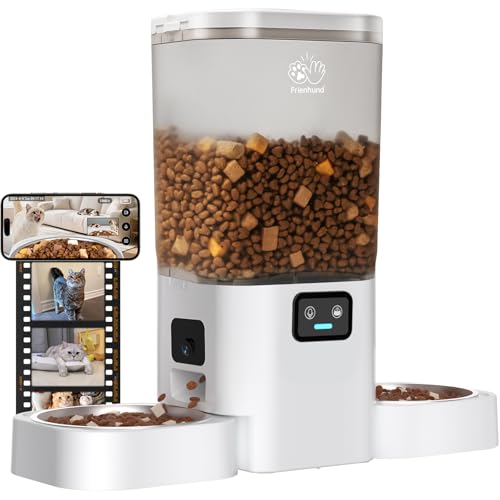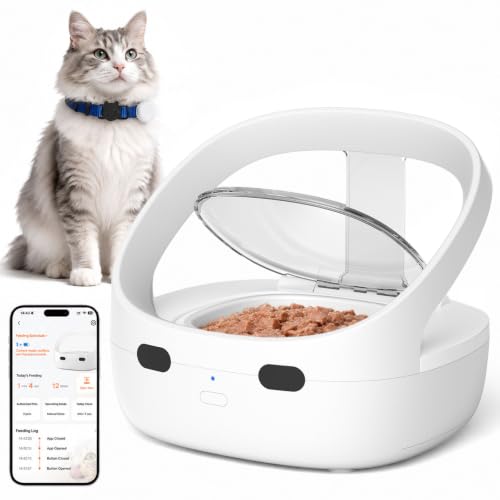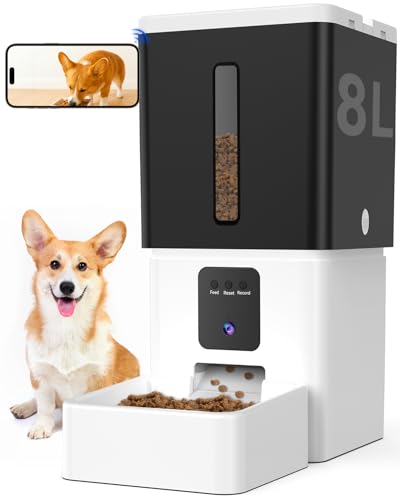
How to use an automatic pet feeder starts with understanding its basic components and programming a schedule that matches your pet’s routine. Most feeders allow you to set meal times and portion sizes through a digital panel or a smartphone app. Once you fill the hopper with dry kibble and test the dispenser, your pet can enjoy consistent meals without your presence. This guide walks you through each step so you can use your automatic pet feeder with confidence.
Understanding Your Automatic Pet Feeder’s Settings
Before you start programming, take time to learn what each button and menu option does. Most models include controls for portion size, feeding times, and a manual release button. Some advanced feeders also let you record a voice message that plays at mealtime to comfort your pet.
Knowing these settings helps you avoid mistakes like double feeding or skipping a meal. Refer to your user manual for the exact layout of your specific model, since buttons and labels vary between brands.
Choosing the Right Food for Your Feeder
Dry kibble is the safest option for automatic feeders because it flows easily through the dispenser mechanism. Wet or semi moist food can clog the hopper and spoil inside the feeder if left out too long.
If your pet requires a special diet, check the kibble size against your feeder’s auger or wheel opening. Oversized pieces can cause jams, while very small bits may slip through and trigger extra portions.
Programming Your Automatic Pet Feeder Schedule
Set the feeder to match your pet’s current meal times as closely as possible. If your pet eats twice a day, program the feeder to release food at those exact hours. Consistency helps your pet adjust and prevents begging behavior.
When introducing an automatic feeder, consider using a slow transition over a few days. Keep the old bowl nearby at first so your pet associates the new device with mealtime. Many feeders include a lock feature to prevent curious pets from pressing buttons.
Setting Up the Feeder in Your Home
Place the feeder on a flat, non slip surface away from walls and obstacles. This prevents tipping and allows the dispenser to function without interference. Ensure the feeder is within reach of a power outlet if it uses AC power, or that batteries are fresh if it runs on battery power.
Keep the feeding area clean and free of other food sources. If you have multiple pets, place the feeder where only the intended pet can access it, or use a microchip activated model designed for multi pet households.
Cleaning and Maintaining Your Feeder
Regular cleaning prevents food buildup, mold, and mechanical jams. Empty and wash the hopper, bowl, and any removable parts with warm soapy water at least once a week. Dry all components thoroughly before reassembly to avoid moisture damage.
Check the battery compartment and power cord for corrosion or wear. Replace batteries every few months even if they still seem to work, as low voltage can cause the timer to drift.
Troubleshooting Common Automatic Feeder Issues
If the feeder skips a meal or dispenses extra food, first check the programming settings. A power outage or accidental button press can reset the schedule. Re enter the times and portion sizes as needed.
Jams often happen when kibble is too large or the hopper is overfilled. Reduce the fill level and use smaller kibble if the problem persists. If the feeder stops dispensing entirely, inspect the auger or wheel for obstructions and clean them thoroughly.
How to Use Your Automatic Pet Feeder Effectively
- Read the user manual to understand all settings and safety features.
- Start with a consistent schedule that matches your pet’s usual meal times.
- Use dry kibble that fits comfortably through your feeder’s dispenser.
- Place the feeder on a stable, level surface away from walls and pet traffic.
- Clean the hopper and bowl weekly to prevent clogs and spoilage.
- Monitor the feeder for the first few days while you are home to catch any issues early.
Related Guides
Frequently Asked Questions
Can I use wet food in an automatic pet feeder?
Most automatic feeders are designed for dry kibble only. Wet food can spoil quickly, clog the dispenser, and attract pests. If your pet needs wet food, consider a refrigerated feeder or feed wet meals separately.
How do I prevent my pet from overeating with an automatic feeder?
Set the portion size to match your pet’s daily recommended serving. Many feeders lock the bowl between meals to prevent grazing. If your pet finishes too fast, use a slow feed bowl insert or split the portion into smaller, more frequent meals.
What should I do if the feeder jams?
First, unplug the feeder and remove any stuck kibble from the dispenser mechanism. Check for oversized pieces or debris. Clean the auger and hopper, then test the feeder manually before reprogramming it.
How often should I clean my automatic pet feeder?
Clean the hopper, bowl, and dispenser at least once a week. In humid climates or if you use fatty kibble, clean more often to prevent mold and rancid odors. Always dry parts completely before reassembly.
Can I use an automatic feeder for multiple pets?
Some feeders include a microchip reader that opens only for the registered pet. Standard feeders work best for single pet households. If you have multiple pets, consider separate feeders or a model with a partition that allows each pet access to their own bowl.
Using an automatic pet feeder is straightforward once you understand the setup and maintenance requirements. For more pet care tips, browse our collection of pet care articles.