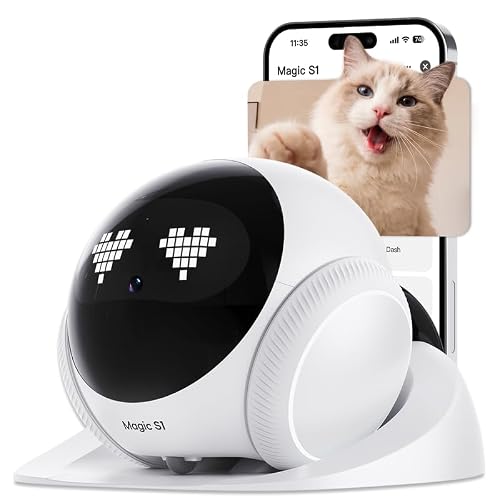
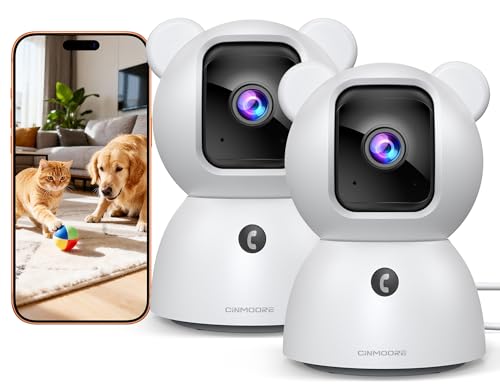
Imagine you are at work, and your partner is home with the cat. You both want to peek in on your furry friend at the same time, but your current camera only allows one user at a time. Frustrating, right? That is where cat cameras with multiple user access come in. These devices let everyone in your household, or even a pet sitter, check in simultaneously without any hiccups. In this guide, we have evaluated five top-rated models that excel at sharing the view, from feature-rich feeders to dedicated security cams. Whether you live with roommates or are part of a busy family, you will find a camera that keeps everyone connected to your cat. For more insights, read our smart cat camera reviews for a broader look at the category.

![Furbo 360° Cat Camera [Core Features, No Ongoing Cost]](https://m.media-amazon.com/images/I/31HwHmvF8AL._SL500_.jpg "Furbo 360° Cat Camera [Core Features, No Ongoing Cost]")


Buying Guide
Multi-User Access and Sharing
Not all cameras handle multiple users the same way. Some require a subscription for extra accounts, while others let you invite family members for free. Look for models that support simultaneous viewing, so two people can watch the same feed without lag. The best options let you share access via a simple app invite, making it easy to add your partner, kids, or a pet sitter. Check our best cat camera reviews for more details on sharing features.
Video Quality and Night Vision
A sharp image is essential for identifying your cat’s behavior, especially in low light. Aim for at least 1080p resolution, with 2K or 2.5K offering even more detail. Night vision is a must for monitoring after dark, and color night vision can help you see fur patterns clearly. Good video quality ensures that every family member gets a clear view, whether it is day or night.
Interactive Features
Beyond just watching, many cameras let you interact with your cat through two-way audio, treat tossing, or laser toys. These features are great for bonding remotely and can help reduce separation anxiety. If you have multiple users, interactive functions can be controlled from any device, so everyone can take turns playing with the cat. For cameras with meowing alerts, see our best pet cameras with meowing alerts guide.
Storage and Privacy
Consider how the camera stores footage. Local storage via an SD card is usually free and private, while cloud storage may require a subscription. Some cameras offer encryption for local recordings, ensuring only you have access. Privacy modes that let you disable the camera remotely are also valuable, especially in a multi-user household. For more on motion alerts, check our best pet cameras with motion alerts page.
Final Thoughts
Choosing the right cat camera with multiple user access comes down to your specific needs. For households with two cats that need separate feeding areas, the Automatic Cat Feeder for 2 Cats with 2K Cameras from Nityers is a standout, offering dual cameras and a spacious design. If you prefer a dedicated pet camera with a rotating view and treat tossing, the Furbo 360° Cat Camera [Core Features is a solid choice that works well for single cats and multiple users. Both models support easy sharing, so you and your family can stay connected to your feline friend from anywhere.
Related Guides
Frequently Asked Questions
Can multiple people watch the cat camera at the same time?
Yes, most modern cat cameras with multiple user access allow simultaneous viewing. The exact number of concurrent users varies by model, but many support at least two to three viewers without performance issues. Check the product specifications for details.
Do I need a subscription to share access with family members?
No, the cameras we reviewed do not require a subscription for multi-user access. You can invite family members through the app for free. Some premium features, like advanced AI alerts, may require a subscription, but basic sharing is always included.
How do I set up multiple users on a cat camera?
Setting up multiple users is usually simple. After installing the camera and app, the primary user can send an invitation link to other family members via email or text. Once they accept, they can view the camera feed and control features from their own device. For more tips, see our best pet cameras with sound alerts guide.
Will multiple users affect the camera’s performance in 2026?
In 2026, most cat cameras are designed to handle multiple streams efficiently. As long as your home WiFi network is stable, adding extra users should not cause noticeable lag or dropouts. For best results, place the camera close to your router or use a mesh network.