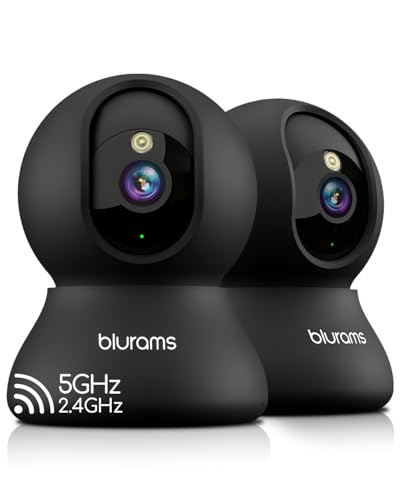
You have a new puppy, and you need to keep an eye on them while you are at work. Do you choose a pet camera that saves clips on a memory card or one that uploads everything to the cloud? This guide compares these two storage approaches using the Kasa 1080p Indoor Pan/Tilt Wired Security Camera as a prime example. Whether you value ongoing fees or offline reliability, this article will help you decide. Check out our Comparisons for more side-by-side evaluations.
Pet cameras now do more than just stream video; they can store footage for later review. Local storage keeps everything on a MicroSD card inside the camera, while cloud storage sends video to a remote server. Each method has trade-offs in cost, privacy, and accessibility. The Kasa camera supports both, making it a versatile starting point for understanding your options.

Buying Guide
Storage Type: Local vs Cloud
Your first decision is where footage lives. Local storage uses a microSD card (up to 256 GB in the Kasa camera) so you own the data and pay nothing monthly. Cloud storage, like the Kasa Care plan, stores clips online for up to 30 days and adds features like person detection. Consider your comfort with subscription fees versus the risk of losing a card.
Resolution and Night Vision
Crisp 1080p full HD video lets you see fur and facial expressions clearly. The Kasa camera delivers sharp streams even at night, with a 30-foot range. Higher resolution files take more space on local storage, but cloud services often compress them. Check the cam’s night vision quality to ensure your pet is visible in the dark.
Motion and Sound Detection
Real-time alerts are essential for catching mischief. The Kasa camera triggers notifications on your phone for motion or sound, day or night. With local storage, clips save to the card; with cloud storage, they go online. Some cameras offer pet-specific sensitivity. Look for adjustable zones to avoid false alerts from curtains or passing cars.
Ease of Setup and App Experience
A pet camera should be simple to set up and use daily. The Kasa camera works with the Tapo or Kasa app, requiring only a 2.4 GHz Wi-Fi connection. The app lets you pan, tilt, and view live video from anywhere. Local storage needs a card inserted, while cloud storage requires a subscription. For more on smart home integration, visit our Pet Tech Guides.
Final Thoughts
After evaluating the Kasa 1080p Indoor Pan/Tilt Wired Security Camera, we see it as a strong choice whether you prefer local storage or cloud storage. If you want zero monthly fees and full control of your clips, the Kasa 1080p Indoor Pan/Tilt Wired Security Camera with a microSD card is ideal. If you prefer remote access to history and advanced alerts, the same Kasa 1080p Indoor Pan/Tilt Wired Security Camera with the Kasa Care plan delivers cloud convenience. Either way, you get a reliable pet monitoring solution.
Related Guides
Frequently Asked Questions
Does a pet camera with local storage require internet? Local storage can record even without internet, but you need a connection to view live streams remotely. The Kasa camera records to the microSD card offline, but streaming and alerts require Wi-Fi.
How long can a pet camera store video on a microSD card? With a 256 GB card, the Kasa camera can hold days of continuous recording, depending on resolution. For motion-only clips, the card lasts much longer. Check our Comparisons for storage duration examples.
Is cloud storage safer than local storage for pet cameras? Cloud storage protects against theft or damage of the camera, but you rely on a subscription and internet. Local storage keeps data in your home, though the card could fail. Many users combine both for redundancy in 2026.
Can I upgrade from local to cloud storage on the same pet camera? Yes, if the camera supports both. The Kasa camera lets you start with a microSD card and later subscribe to Kasa Care for cloud recording. You can even use both simultaneously for double protection.