

Imagine you are at work, missing your dog, and you just want to peek in to see if they are napping on the couch or chewing a toy. With a dog camera that offers remote access, you can do exactly that from your phone, no matter where you are. These cameras let you check in, talk to your pet, and even move the camera around to follow them from room to room. In this guide, we have reviewed five top-rated dog cameras with remote access, from budget-friendly picks to advanced models with 4K clarity and AI features. Whether you are a new pet owner or a seasoned dog parent, you will find a camera that fits your needs.
For more ideas on keeping your pet connected, check out our smart dog camera reviews for 2026.




Buying Guide: What to Look for in a Dog Camera with Remote Access
Video Quality and Night Vision
When you are away, you want to see your pet clearly. Look for a camera with at least 1080p resolution for crisp daytime video. For even finer detail, 2K or 4K options let you spot small objects, like a toy or a treat. Night vision is just as important because your dog may be active after dark. Many cameras include infrared LEDs that allow you to see in low light without turning on a lamp. If you want color night vision, higher-end models provide that as well.
If you value crystal-clear images at night, you might also like our roundup of top pet cameras with HD night vision.
Pan, Tilt, and Movement Control
A stationary camera limits your view to one spot. A pan-tilt camera can rotate 360 degrees horizontally and tilt up and down, so you can follow your dog as they move around the room. Some models even include auto-tracking, which lets the camera follow movement automatically. If your dog is active, this feature is wonderful for keeping them in frame.
For more on cameras with flexible viewing, visit our pet cameras with app category page.
Two-Way Audio and Sound Detection
Two-way audio allows you to speak to your dog and hear them bark or whine. This is a key feature for remote access because you can soothe your pet if they seem anxious. Some cameras also detect specific sounds, like barking or baby crying, and send you an alert. This helps you respond quickly without constantly watching the feed.
Storage Options and Connectivity
Most dog cameras offer local storage via a microSD card, which lets you record clips without monthly fees. Cloud storage plans provide extra security and longer video history, often with a subscription. For connectivity, a dual-band Wi-Fi camera (2.4 GHz and 5 GHz) provides a more stable connection, especially if you have many devices at home. Some newer models use Wi-Fi 6 for faster and smoother streaming.
For a broader look at options, browse our best pet cameras with app and two-way audio guide.
Final Thoughts
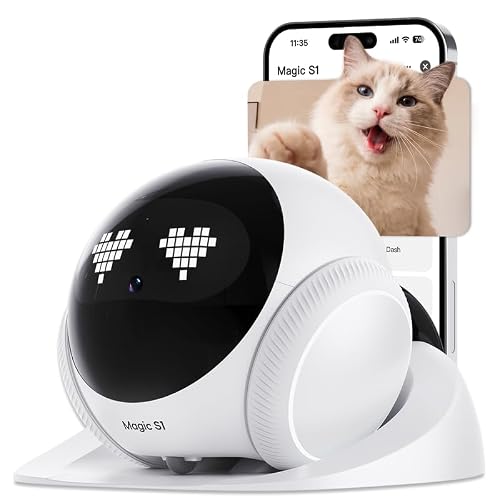
After evaluating these top dog cameras with remote access, our recommendation depends on your needs. If you want a budget-friendly pick with excellent 2K video and reliable pan-tilt control, go with the Tapo 2K Pan Tilt Security Camera for Baby Monitor. For pet owners who want a moving camera that can follow their dog from room to room, the Mobile Pet Camera Robot, 1080P App-Controlled is a unique and versatile choice. Both models offer strong remote access features, so you can stay connected to your furry friend wherever you are.
Related Guides
Frequently Asked Questions
Can I control a dog camera remotely from my phone?
Yes, all the cameras in this guide can be controlled via a smartphone app. You can view the live feed, pan, tilt, talk to your pet, and receive alerts from anywhere with an internet connection.
Do these dog cameras work without Wi-Fi?
Most dog cameras with remote access require Wi-Fi to stream video to your phone. Some models may support local recording to a microSD card, but remote viewing needs a network connection.
Which dog camera has the best night vision for 2026?
For night vision, the Anona Pano 4K UHD Indoor Camera offers excellent clarity with 4K resolution and infrared LEDs, making it a top choice. If you prefer a lower price point, the Tapo 2K model also provides strong night vision up to 30 feet.
Are these cameras easy to set up for a non-technical user?
Yes, all reviewed cameras are designed with user-friendly apps that guide you through setup. Usually, you just plug in the camera, connect to your Wi-Fi, and follow the on-screen instructions. For more tips, check our pet cameras category.


