

You come home from a long day and wonder: Did Whiskers actually eat his dinner? Or did Mittens sneak in and gobble it up? If you share your home with multiple cats, keeping track of who eats, who uses the litter box, and who is hiding isn’t just a guessing game, it’s a daily challenge. That’s where the best cat cameras with multi-cat recognition come in. These smart devices use AI-powered facial recognition to identify each cat individually, so you always know who visited the feeder, who used the litter box, and who needs a little extra attention. In this guide, we’ve reviewed five top models from brands like PETKIT, SiiPet, and PETLIBRO that promise to keep your multi-cat household running smoothly.




Buying Guide: What to Look for in a Cat Camera with Multi-Cat Recognition
AI Facial Recognition Accuracy
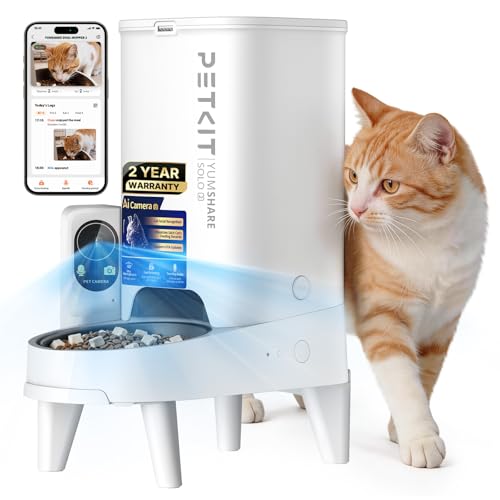
The core feature of any multi-cat recognition camera is its ability to tell your pets apart. Look for cameras that let you upload photos of each cat and use AI to track individual visits. Some models, like the PETKIT Automatic Cat Feeder with Camera, can recognize up to 15 pets, making them ideal for larger households. The system records who eats and when, giving you a clear picture of each cat’s habits.
Camera Quality and Night Vision
A high-resolution camera matters whether you’re checking the food bowl or the litter box. A 1080P HD camera with a wide viewing angle lets you see your cats clearly. Night vision is essential for monitoring nocturnal activity, your furry friends don’t stop exploring when the lights go out. Consider best cat camera reviews to see which models excel in low-light conditions.
Health Monitoring and Alerts
Some cameras go beyond simple observation and track health data. The SiiPet LitterLens Cat Litter Box Camera with App monitors litter box visits, urination, and stool frequency, sending alerts for any abnormalities. This can help you catch early signs of urinary or digestive issues, which is especially valuable for multi-cat homes where changes in one pet may go unnoticed.
Privacy and Data Control
Since you’re placing a camera in a private area like the feeding spot or litter box, privacy features matter. Look for cameras that allow you to disable voice recording, set camera operating times, or limit monitoring to certain areas. The SiiPet LitterLens, for example, is designed to view only the litter pan, keeping the rest of your home private. For more tips on using smart cameras safely, check out our guide on pet cameras with app integration.
Final Thoughts
Whether your goal is to ensure every cat gets fed on time or to monitor their bathroom health, a camera with multi-cat recognition can transform your daily routine. For feeding precision, the PETKIT Automatic Cat Feeder with Camera offers unmatched recognition capabilities and a high-quality feed logging system, perfect for households with multiple cats. If health tracking is your priority, the SiiPet LitterLens Cat Litter Box Camera with App provides detailed analytics that can alert you to potential problems before they become serious. Both models deliver reliable, AI-powered insights that help you care for your feline family with confidence.
Related Guides
Frequently Asked Questions
How does multi-cat recognition work in cat cameras? These cameras use AI-powered facial recognition that scans each cat’s face as they approach the feeder or litter box. You upload photos of each pet to the app, and the system learns to identify them individually, logging visits and eating habits for each cat.
Can these cameras help with health issues in cats? Yes, especially models like the SiiPet LitterLens that track litter box frequency and waste consistency. You can detect early signs of urinary or digestive problems, but remember these devices are not substitutes for veterinary care. Always consult a vet if you notice unusual changes.
Are these cameras easy to set up for beginners? Most models come with user-friendly apps and support for both 2.4G and 5GHz Wi-Fi. You can usually set up a feeding schedule or link the camera to each cat’s profile in minutes. For more information on app-based control, check our pet cameras with app guide.
Do I need a subscription for all features? Many basic features work out of the box, but some advanced options, like cloud storage for video clips or extended health reports, may require a paid subscription. Check each product’s details for subscription requirements before buying.


