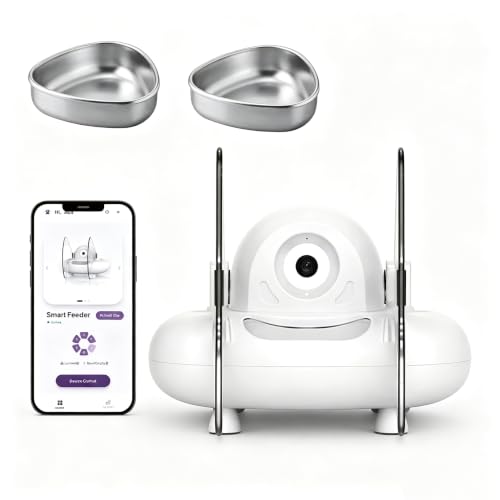
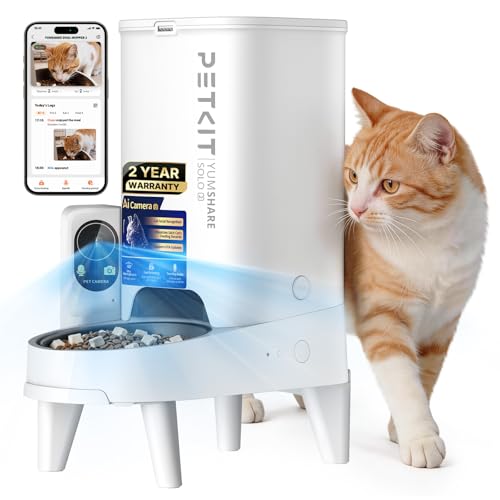
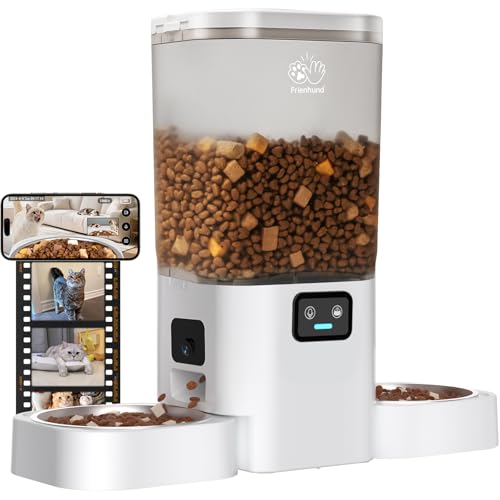
Have you ever wondered what your cat is up to when you’re at work, or wished you could soothe their separation anxiety with a familiar voice? You are not alone. Many cat owners crave a way to stay connected with their feline companions, and the right cat camera can make that happen. In this guide, we evaluate four standout options for talking to cats, from treat-dispensing models to POV collars. Whether you want to check in via your phone or capture your cat’s secret adventures, we have you covered. For more context on the broader category, check out our best cat camera reviews.


Buying Guide: What to Look for in a Cat Camera for Talking
Two-Way Audio Quality
When the goal is talking to your cat, audio clarity is paramount. A camera with crisp two-way talk can let you comfort your pet with a gentle “hello” or even command them to stop scratching the couch. Look for models that minimize echo and static, and consider whether the microphone and speaker volume suit your home environment. Many indoor cameras now offer noise reduction features to ensure your voice sounds natural to your cat.
This is especially relevant if you travel often or work long hours. For more tips, see our guide to pet cameras for workday monitoring.
Interactive Features and Play
Beyond just talking, some cat cameras let you toss treats or rotate the lens to follow your cat. This can turn a simple check-in into an interactive play session, reducing boredom and destructive behavior. For cats, treat dispensers that work with small kibble (7 to 15 mm) are ideal. Think about whether you want a stationery camera that tracks motion or a collarbone unit that records your cat’s POV.
If you’re considering a treat-dispensing model, our treat-dispensing cameras category offers deeper insights.
Field of View and Placement
The camera’s viewing angle determines how much of your home you can see. A 360-degree pan or wide-angle lens (like 170 degrees) ensures you catch your cat’s movements even if they hide in corners. Mounting options also matter—some cameras sit on a tabletop, while others attach to walls or collars. Consider your cat’s habits: indoor dwellers benefit from a fixed camera, while outdoor explorers need a lightweight collar cam.
Storage and Connectivity
Most cat cameras store video via cloud subscriptions or local SD cards (up to 256 GB). Cloud options often include AI features like motion alerts and event summaries, but may incur monthly fees. Local storage gives you full control without recurring costs, but requires manual transfer. Connectivity is also key—5 GHz WiFi reduces interference, while 2.4 GHz offers wider range. Choose based on your tech comfort and privacy preferences.
Final Thoughts
Choosing the best cat camera for talking to cats depends on your lifestyle and your feline’s needs. For indoor interaction and treat-based bonding, the TKENPRO 2K Pet Camera Treat Dispenser excels with its two-way talk and 360-degree view. If you prefer to see the world through your cat’s eyes or need a portable solution, the PaxsreeKam Cat Camera Collar with Tracker Tag offers a lightweight, offline POV experience. Both options let you connect with your furry friend in unique ways.
Related Guides
Frequently Asked Questions
Can I talk to my cat through a cat camera?
Yes, many cat cameras feature two-way audio, allowing you to speak to your cat via a smartphone app. Models like the TKENPRO and youkey cameras offer clear sound so your cat can hear your voice.
Do cameras with two-way talk help cats with separation anxiety?
They can, as hearing your voice may comfort your cat during your absence. However, combine it with interactive features like treat tossing or scheduled play for best results. Learn more in our cat cameras guide.
Are cat collar cameras safe for outdoor use?
Most collar cameras are lightweight (under 1 ounce) and designed for safe outdoor use, but they are not breakaway collars. Always remove them after active tracking to prevent snagging.
Do these cameras require a subscription to see recordings?
It varies. Collar cameras like PaxsreeKam store videos on a Micro SD card with no subscription. Indoor models like the youkey offer optional cloud storage with AI features, but local SD storage works without fees.