
🔥 Black Friday Dog Camera Deals 2026: picks worth watching →
You just brought home a new puppy, and the first time you leave them alone, your heart sinks. Will they cry? Chew the furniture? Have an accident? A dog camera can transform that anxiety into reassurance. For first-time dog owners, the right camera lets you check in, speak to your pup, and even toss a treat from anywhere. This guide reviews five top-rated dog cameras to help you pick the model that fits your home and habits. For a broader look at smart pet monitoring, read our smart dog camera reviews for more options.




Buying Guide: What to Look for in a Beginner Dog Camera
Video Quality and Night Vision
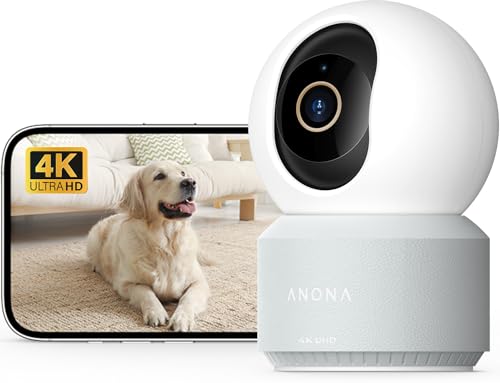
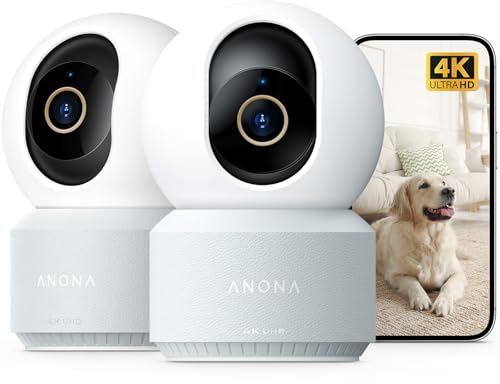
You want a clear view of your pup whether it is day or night. Most modern cameras offer at least 1080p Full HD resolution, which is sufficient for seeing facial expressions and body language. Some models like the Anona 4K UHD go a step further with ultra-high definition and zoom capabilities, perfect for spotting small details. Night vision is equally important. Cameras with infrared or color night vision let you see your dog in low light without disturbing their sleep. Check out our Best Pet Cameras with HD Night Vision for more recommendations.
Two-Way Audio and Interactivity
Hearing your dog bark and being able to speak back is a core feature of any dog camera. Two-way audio allows you to calm a nervous pet or praise them for good behavior. The Furbo 360° Dog Camera offers crisp audio and a treat tossing function that can turn a moment of anxiety into a fun reward. For a more budget-friendly option with solid two-way talk, the Cinnado indoor camera delivers clear communication through its app. If interactive play is a priority, consider cameras with treat dispensers. See our Best Pet Cameras with App and Two-Way Audio for additional picks.
Smart Alerts and Motion Detection
You do not want to watch a live feed all day. Smart alerts notify you when your dog barks, moves, or cries. The TKENPRO 2K Pet Camera includes bark detection and AI auto tracking, so the camera follows your pet as they roam. The Anona goes further with person, pet, and crying detection, plus a privacy mode for when you are home. These features help you stay informed without being glued to your phone. For first-time owners, instant alerts can prevent accidents and separation anxiety.
Storage Options: Cloud vs. Local
Decide how you want to save video clips. Most cameras offer both cloud subscriptions and local microSD card storage. The Tapo 1080P Indoor Camera supports up to 512 GB of local storage, giving you continuous recording without monthly fees. If you prefer the convenience of cloud backup, options like the Furbo and Anona provide encrypted cloud plans. For first-time owners, local storage is often the simplest and most cost-effective choice. Learn more about different storage setups in our Dog Cameras category page.
Final Thoughts
Whether you need a simple way to check in on your puppy or an interactive treat dispenser to ease separation anxiety, there is a dog camera for every first-time owner. For the best combination of treat tossing, rotating view, and barking alerts, choose the Furbo 360° Dog Camera [Core Features. If you want stunning 4K UHD video and advanced AI detection that grows with your pet, the Anona 4K UHD Indoor Camera delivers professional-grade monitoring at a fair price. Both cameras offer the clarity and interactivity that new dog owners need to build confidence and keep their furry friend safe.
Related Guides
- Best Pet Cameras with Free App for 2026
- 2K Pet Camera Reviews
- Tapo Pet Camera vs Eufy
- Best Dog Cameras for Dog Enrichment: Top Picks for 2026
Frequently Asked Questions
What features should I prioritize as a first-time dog owner?
Focus on video clarity, two-way audio, and motion alerts. Cameras that include treat tossing can also help reduce separation anxiety. Check our Treat-Dispensing Cameras guide for models that combine monitoring with remote rewards.
Do dog cameras require a monthly subscription?
Not always. Many cameras offer free basic features like live view, two-way talk, and motion alerts. Cloud storage for recordings usually requires a subscription, but you can avoid extra fees by using a microSD card for local storage. The Furbo 360° model includes core features with no ongoing costs.
How do I set up a dog camera for the first time?
Most modern dog cameras connect via your home Wi-Fi and a dedicated smartphone app. Simply plug in the camera, download the app, create an account, and follow the in-app instructions to pair the device. Make sure your Wi-Fi is on a 2.4 GHz band, as many cameras do not support 5 GHz. The Cinnado and Tapo models are known for their quick setup process.
Can I use a dog camera as a baby monitor?
Absolutely. Many dog cameras double as baby monitors thanks to features like two-way audio, night vision, and temperature sensors. The Anona 4K UHD even includes baby crying detection. However, dedicated baby monitors may offer higher privacy standards, so consider your needs. For more options, read our Best Pet Cameras with Color Night Vision.