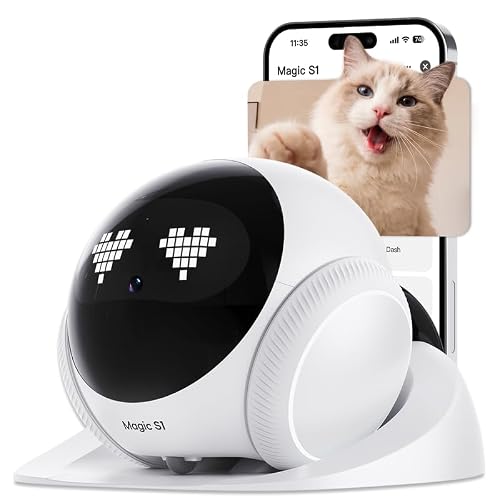
If you have multiple pets at home, finding a camera that lets you check on each of them from your phone is essential. Whether you have curious cats, energetic dogs, or a mix of both, a pet camera with a dedicated app gives you peace of mind and the ability to interact with your animals anytime. In this guide, we have evaluated five top-rated cameras that excel at monitoring multiple pets through a smartphone app, covering everything from high-resolution video to smart AI detection. For more on app-controlled monitoring, see our Pet Cameras with App category.





Buying Guide: What to Look for in a Multi-Pet Camera with App
1. Pan/Tilt Coverage for Full Room Views
When you have multiple pets roaming, a static camera angle often misses the action. Opt for a model with 360-degree pan and tilt capabilities so you can sweep the entire room and follow your pets as they move. Cameras like the Anona Pano 4K UHD Indoor Camera offer ultra-smooth rotation and auto-tracking, which is ideal for keeping up with several pets at once.
2. App Features and Multi-User Access
The app experience determines how easily you can check in on your pets. Look for apps that support multiple user accounts so family members can view the feed simultaneously. Real-time notifications for motion, sound, or person/pet detection are also crucial. For cameras with advanced audio alerts, check out our roundup of Best Pet Cameras with Sound Alerts.
3. AI Person/Pet Detection and Auto-Tracking
AI-powered detection helps differentiate between people, pets, and other movements, reducing false alerts. Some cameras can even recognize specific pets and send tailored notifications. This feature is especially useful when you want to know if your dog is jumping on the couch or if your cat is scratching furniture. For devices with dedicated pet tracking, visit our AI Pet Cameras subcategory.
4. Night Vision and Storage Options
Pets are active at all hours, so clear night vision is a must. Most cameras use infrared LEDs to capture crisp monochrome footage in low light. Additionally, check whether the camera supports local SD card storage or cloud storage plans. Continuous recording via a microSD card (up to 256 GB or more) ensures you never miss a moment. For more, explore our Pet Cameras section for additional models.
Final Thoughts
After reviewing these top contenders, our top recommendation for pet parents with multiple animals is the Anona Pano 4K UHD Indoor Camera for its stunning 4K clarity, excellent pan/tilt, and smart AI detection. For those on a tighter budget who still want reliable app control and 360-degree coverage, the Cinnado 2K Security Camera Indoor for Pet/Dog/Baby offers great value with solid features. For longer battery life in a wireless setup, also see our guide on Best Pet Cameras with Low Battery Alerts.
Related Guides
Frequently Asked Questions
Can I use multiple pet cameras in one app?
Yes, most brands allow you to add several cameras to a single app account. You can view each camera feed separately or even on a split screen if the app supports it. This is very convenient for monitoring different rooms or multiple pets.
Do these cameras work with Amazon Alexa or Google Assistant?
Many of the models reviewed, including the Cinnado and GNCC cameras, are compatible with Alexa and Google Assistant. You can ask a voice assistant to show the camera feed on a smart display, which is handy for a quick check without opening the phone app.
What storage options are available for saving recordings?
All listed cameras support local microSD card storage (sold separately) for continuous or event-triggered recording. Some also offer optional cloud subscriptions with encrypted storage. The Anona models, for example, use AES-128 encryption for cloud video.
How do I set up a pet camera with the app?
Setup typically involves downloading the brand’s app, creating an account, and following the in-app instructions to connect the camera to your 2.4 GHz Wi-Fi network. Most cameras require the phone to be near the camera during the initial pairing. For a step-by-step guide on related smart devices, see how to set up an automatic pet feeder.