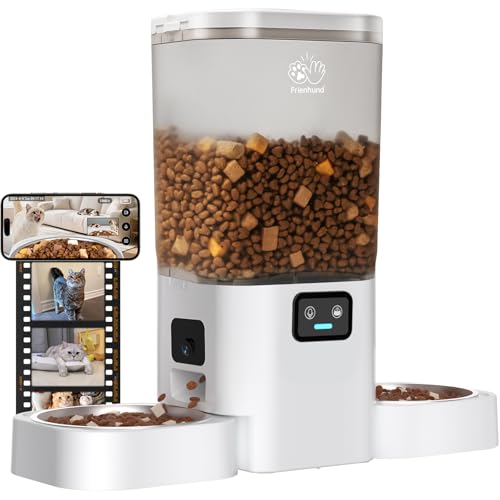
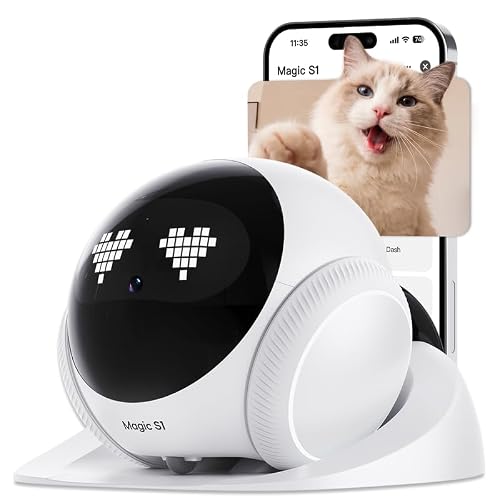
Imagine being away from home and still able to check on your dog, calm them with your voice, and toss a treat when they behave well. That is the magic of a WiFi treat dispenser camera. These smart devices combine a pet camera with a remote treat launcher, letting you interact with your furry companion from anywhere. In this guide, we have evaluated five of the top models on the market, focusing on video quality, treat dispensing reliability, smart features, and ease of use. Whether you have a puppy that needs training or a senior dog that enjoys occasional rewards, there is a camera here for you. For more on how these cameras fit into a broader pet monitoring setup, check out our roundup of the best pet cameras with smartphone app.
![Furbo 360° Dog Camera [Paid Plan Required to Activate]](https://m.media-amazon.com/images/I/41bxvqBF-iL._SL500_.jpg "Furbo 360° Dog Camera [Paid Plan Required to Activate]")


Buying Guide: What to Look for in a WiFi Treat Dispenser Camera
Video Quality and Night Vision
Clear video is essential for seeing your pet’s behavior and surroundings. Look for at least 1080p Full HD resolution, though 2K models offer sharper detail. Night vision is equally important if you want to check on your pet after dark. Most cameras use infrared LEDs to capture black-and-white footage in low light. If you have a senior cat or dog that moves around at night, consider a model with strong night vision. Our guide on best cat cameras for senior cats highlights how crucial night vision can be for aging pets.
Treat Dispensing Mechanism
The treat dispenser should be reliable and easy to refill. Check the capacity: larger containers mean fewer refills. Also, consider the size of treats that fit—most cameras accept dry kibble or small treats between 7 and 15 mm. Some models let you adjust the distance of the toss, which is handy for training. A dishwasher-safe tray or container makes cleaning simpler.
Smart Features and App Integration
Modern treat dispenser cameras come with motion detection, bark alerts, and two-way audio. Some even use AI to create daily video highlights of your pet’s antics. App integration is key: you want an intuitive interface that lets you view live feed, toss treats, and adjust settings quickly. For a deeper look at which cameras offer the best app experience, browse our list of best pet cameras you can control from your phone.
Subscription Requirements
Some cameras require a paid subscription to unlock full functionality. For example, the Furbo 360° Dog Camera needs a Furbo Nanny plan to activate the camera and access advanced alerts and video history. Others offer free cloud storage for a limited period or rely on local SD card recording. Consider your budget and whether you prefer a one-time purchase or ongoing fee. If you want to avoid subscriptions entirely, look for models with local storage options.
Final Thoughts
Choosing the right WiFi treat dispenser camera depends on your pet’s needs and your lifestyle. If you want a comprehensive monitoring system with AI insights and are comfortable with a subscription, the Furbo 360° Dog Camera [Paid Plan Required] offers peace of mind with its advanced nanny features. For a more budget-friendly option that still delivers solid performance, the TKENPRO 2K Pet Camera Treat Dispenser provides 2K video, 360° pan, and remote treat tossing without a mandatory subscription. Both will help you stay connected with your furry friend, no matter where you are.
Related Guides
Frequently Asked Questions
Do I need a subscription for a treat dispenser camera? Not always. Some cameras like the Furbo 360° require a paid plan to activate, while others like the TKENPRO and faroro offer free basic features. Always check the product details before buying.
Can I use the camera at night? Yes, all the cameras in this roundup include infrared night vision, so you can see your pet in the dark. The quality varies, with 2K models offering clearer night footage than 1080p ones.
How do I fill the treat dispenser? Most models have a removable container or a top-fill design. Simply open the lid, pour in dry treats (typically 7 to 15 mm), and close securely. Some dispensers are dishwasher safe for easy cleaning.
Are these cameras compatible with Alexa or Google Assistant? Many newer models support voice control via Alexa or Google Assistant. The TKENPRO and faroro cameras explicitly list compatibility, letting you use voice commands to view the feed or toss treats.