

Your senior dog deserves extra attention, especially when you cannot be home. Whether they need help getting up, have reduced mobility, or simply require reassurance, a pet camera lets you check in anytime. In this guide, we review the best pet cameras for senior dogs in 2026, focusing on features that matter most for aging pets: clear video, motion alerts, two-way audio, and easy setup. We have evaluated four top models from brands like Anona, Cinnado, and Tapo to help you choose the right one for your furry friend.
For more tips on keeping your dog connected, see our roundup of best dog cameras with two-way audio.



Buying Guide: What to Look for in a Pet Camera for Senior Dogs
High Resolution and Night Vision
Senior dogs may sleep more during the day but become active at night. A camera with at least 2K or 4K resolution ensures you see every detail, from their breathing to their position. Night vision is essential for checking on them after dark without turning on lights. The Anona Pano 4K UHD Indoor Camera excels here with 4K clarity and 8x zoom, while the Cinnado 2K model offers solid night vision with 940nm IR LEDs.
Motion and Sound Alerts
Older dogs may fall, cry, or need help. Cameras with smart motion and sound detection send instant notifications to your phone. Look for AI that distinguishes between a person, a pet, or a baby cry. The Anona camera uses AI person/pet detection, and the Kasa 1080p model alerts you to motion and sound even in the dark. For pet parents who travel frequently, these alerts are invaluable, as highlighted in our guide to best pet cameras for working pet owners.
Two-Way Audio
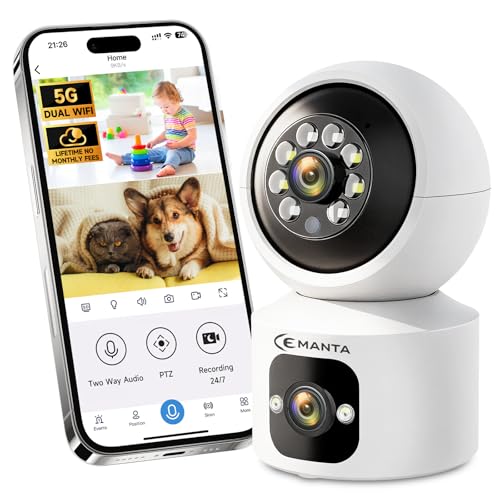
Being able to speak to your senior dog can calm their anxiety or redirect them. All four cameras in our list include two-way audio, but the clarity varies. The CEMANTA 4MP model offers real-time interaction, while the Cinnado camera allows multiple users to talk through the app. This feature is especially useful when your dog is used to hearing your voice.
Ease of Use and App Reliability
Senior dog owners often want a camera that is simple to set up and operate. Look for intuitive apps, compatibility with smart assistants like Alexa, and reliable Wi-Fi connectivity. The Kasa camera works with the Tapo or Kasa app and supports patrol mode. The Anona camera uses Wi-Fi 6 for smooth streaming. For a deeper dive into app features, check our pet cameras with app subcategory.
Final Thoughts
Choosing the right camera for your senior dog comes down to balancing video quality, smart alerts, and ease of use. For pet owners who want the clearest picture and advanced AI detection, the Anona Pano 4K UHD Indoor Camera is a top choice, offering 4K resolution, 360-degree coverage, and Wi-Fi 6. If you prefer a budget-friendly option that still delivers reliable monitoring and two-way audio, the Kasa 1080p Indoor Pan/Tilt Wired Security Camera provides excellent value with its motion alerts and local storage. Both cameras will help you keep a watchful eye on your aging companion with peace of mind.
Related Guides
Frequently Asked Questions
Can I use a pet camera to monitor my senior dog’s activity?
Yes, pet cameras with motion detection and continuous recording let you track your senior dog’s movements throughout the day. You can review footage to see if they are eating, drinking, or resting normally. For more guidance, visit our pet tech guides section.
What features should I look for in a camera for an older dog?
Prioritize high-resolution video (2K or higher), night vision, motion and sound alerts, and two-way audio. A pan/tilt function helps you see the whole room, and AI pet detection can reduce false alarms. The Anona and CEMANTA models offer these features effectively.
Do these cameras work with Alexa or Google Assistant?
Many pet cameras are compatible with smart assistants. The Cinnado 2K camera works with Alexa and Google Assistant for voice-controlled live viewing. The CEMANTA 4MP camera also supports Alexa. Check each product’s details for specific compatibility.
How do I set up motion alerts for my senior dog?
After installing the camera and connecting it to the app, navigate to the settings menu and enable motion detection. You can adjust sensitivity and choose to receive push notifications. Most cameras, including the Kasa model, allow you to set patrol mode for continuous monitoring.
